基于物理的大气渲染 二

image

Debug

image

上一节的实现在附加bloom后有闪烁爆闪,发现是部分像素的计算变量错误得到了NaN;

判断变量是否是错误值NaN,可以借助hlsl的函数if (!all(isfinite(value)))​来判断,经过一系列排查后,确定是计算交点的部分出了问题;

一些像素的AO和BO是NaN,关键是sqrt输入了负数,虽然明明前面有判断CT2 > R2,只能猜测是浮点数误差导致的,修改代码后问题解决了

1
2
3
4
5
6
7
8
9
10
11
12
13
14
15
16
17
18
19
bool rayIntersect(float3 O, float3 D, float3 C, float R, out float AO, out float BO)
{
    float3 L = C - O;
    float DT = dot (L, D);
    float R2 = R * R;

    float CT2 = dot(L,L) - DT*DT;
  
    if (CT2 > R2)
        return false;

	//float AT = sqrt(R2 - CT2); old error code
    float AT = sqrt(max(R2 - CT2, 0));
    float BT = AT;

    AO = DT - AT;
    BO = DT + BT;
    return true;
}

用于Skybox Shader

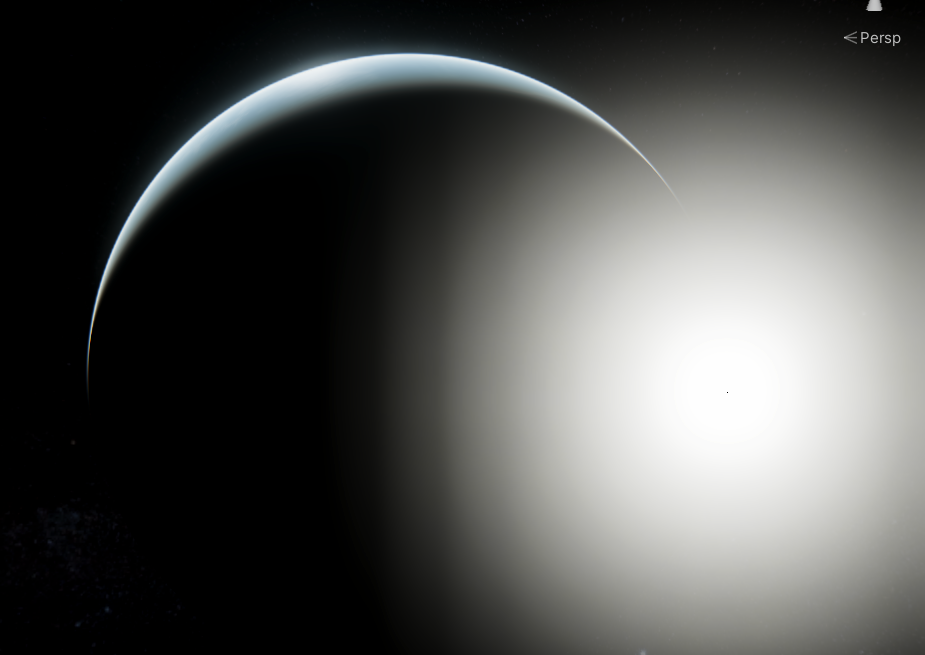
除了用于在外太空中渲染星球的大气,也可以渲染在大地上,看向天空中的大气光照,即渲染天空球;

Pass Tag

1
Tags { "Queue" = "Background" "RenderType" = "Background" "RenderPipeline" = "UniversalPipeline" "PreviewType" = "Skybox" }

渲染天空球时,需要修改一些输入参数,rayStartWS是摄像机的世界坐标,centerWS因为我们是站在大地上,实际的大气层球形是在地心,即往下地球半径;射线方向因为天空相当于无限远,所以类似cubemap采样那样,使用i.positionOS即可

1
2
3
4
float3 rayStartWS = _WorldSpaceCameraPos.xyz;
float3 rayDirWS = normalize(TransformObjectToWorld(i.positionOS));
float3 centerWS = float3(0, -_PlanetRadius, 0);
float3 lightDirWS = _MainLightPosition.xyz;

还有一点处需要修改,之前在外太空看向星球,计算相交,基本不可能两个交点都在射线后面,但是现在是在星球上,按照之前的计算,在于星球求交时会有问题

1
2
3
4
5
6
7
8
rayIntersect(rayStartWS, rayDirWS, centerWS, _AtmosphereRadius, tA, tB);

float pA, pB;
if (rayIntersect(rayStartWS, rayDirWS, centerWS, _PlanetRadius, pA, pB))
    if(pA > 0) //如果第一个与星球的交点在前面,在传远点是pA
    {
        tB = pA;
    }

增加了BO在射线后的判断

1
2
3
4
5
6
7
8
9
10
11
12
13
14
15
16
17
18
19
20
21
bool rayIntersect(float3 O, float3 D, float3 C, float R, out float AO, out float BO)
{
    float3 L = C - O; 
    float DT = dot (L, D);//0.5 * b
    float R2 = R * R;

    float CT2 = dot(L,L) - DT*DT;
  
    if (CT2 > R2)
        return false;

    float AT = sqrt(max(R2 - CT2, 0));
    // float AT = sqrt(R2 - CT2);
    float BT = AT;

    AO = DT - AT;
    BO = DT + BT;
    if(BO < 0) //在射线后相交
        return false;
    return true;
}

然后,前交点基本上是在身后,实际的出发位置就是摄像机位置,即tA = 0

1
tA = 0;

image

大气雾

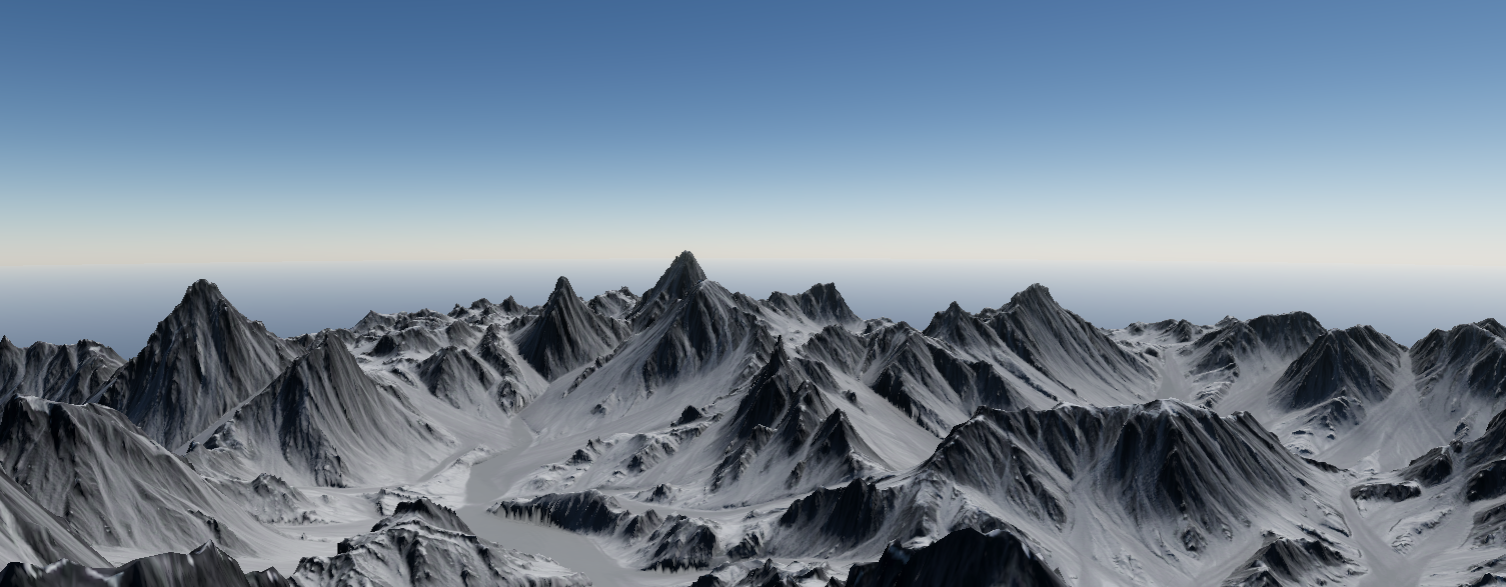
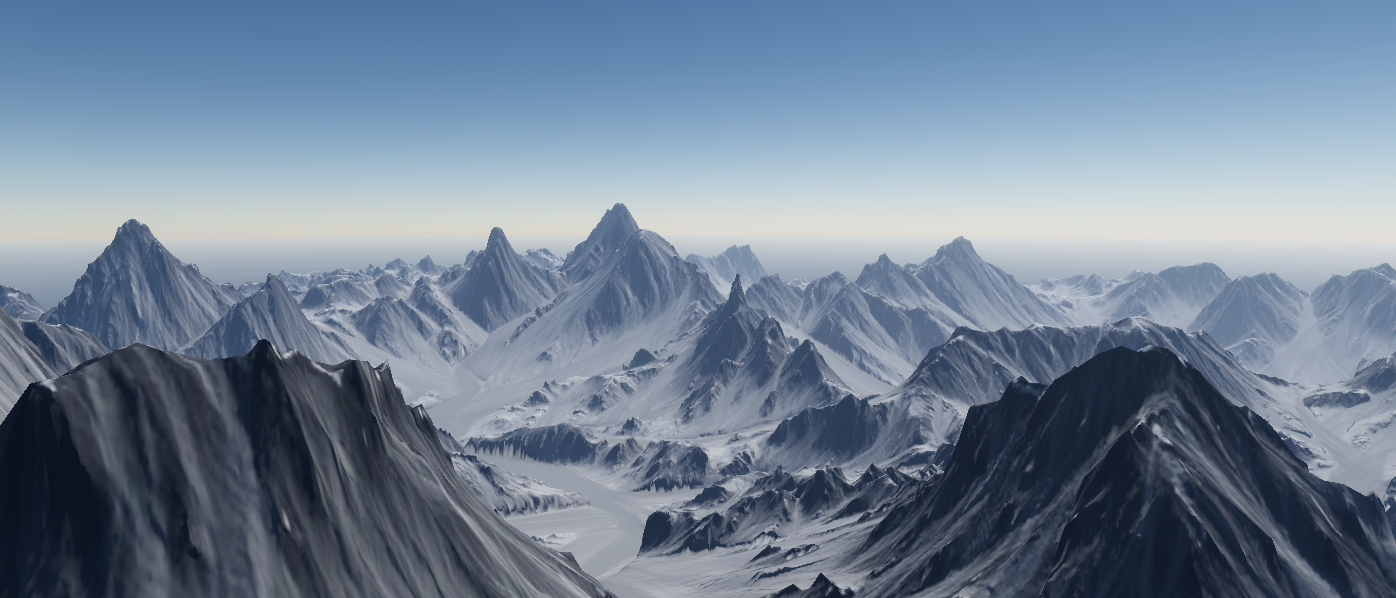
该算法还可用于为场景叠加一层大气雾效,达到远景偏蓝,例如现实远处的山是蓝色的光照效果。

当然颜色是根据光照角度的,当日落时,光线在大气中传播的更远,不同波长损耗的能量不一致,对应最终的颜色也就不同了。
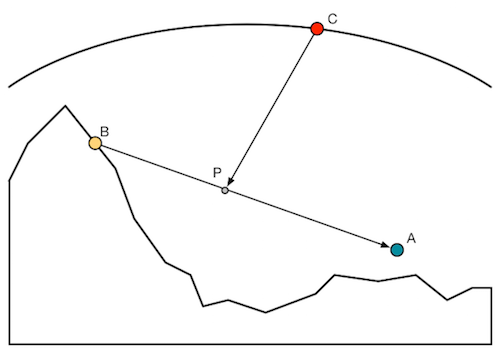
image

太阳光IC在这里替换为了B点的反射颜色,需要考虑T(AB)的衰减,并且加上AB上的大气衰减散射结果

image

需要把T(AB)输出

1
2
//T(AB)
    extinction = exp(-(opticalDepthRay * rayScatteringCoefficient + opticalDepthMie * mieScatteringCoefficient));

把该函数应用在地形shader上

1
2
3
4
5
6
7
8
9
10
11
12
13
14
15
16
17
18
19
20
21
22
23
24
25
26
27
28
29
30
31
void ApplyScatering(inout half3 color, float3 positionWS, 
    float planetRadius, float atmosphereRadius, float rayScaleHeight, float mieScaleHeight, float mieAnisotropy)
{
    Light light = GetMainLight();
    float3 rayStartWS = _WorldSpaceCameraPos.xyz;
    float3 rayDirWS = positionWS - rayStartWS;
    float rayLength = length(rayDirWS);
    rayDirWS = normalize(rayDirWS);
    float3 centerWS = float3(0, -planetRadius, 0);
    float3 lightDirWS = _MainLightPosition.xyz;

    float3 rayScatteringCoefficient = RayleighScatteringCoefficientOnEarth();
    float mieScatteringCoefficient = MieScatteringCoefficientOnEarth();

    float3 totalRayScattering = 0;
    float3 totalMieScattering = 0;

    float extinction;
    IntegrateScattering(0, rayLength, rayStartWS, rayDirWS, centerWS, lightDirWS, 
        planetRadius, atmosphereRadius, rayScaleHeight, mieScaleHeight,
        rayScatteringCoefficient, mieScatteringCoefficient, totalRayScattering, totalMieScattering, extinction);

    float cosAngle = dot(lightDirWS, rayDirWS);
    float rayPhase = RayleighPhase(cosAngle);
    float miePhase = MiePhase(mieAnisotropy, cosAngle);

    float3 scatering = rayScatteringCoefficient * rayPhase * totalRayScattering;
    scatering += mieScatteringCoefficient * miePhase * totalMieScattering;
    scatering *= light.color * 20;
    color = color * extinction + scatering;
}

image