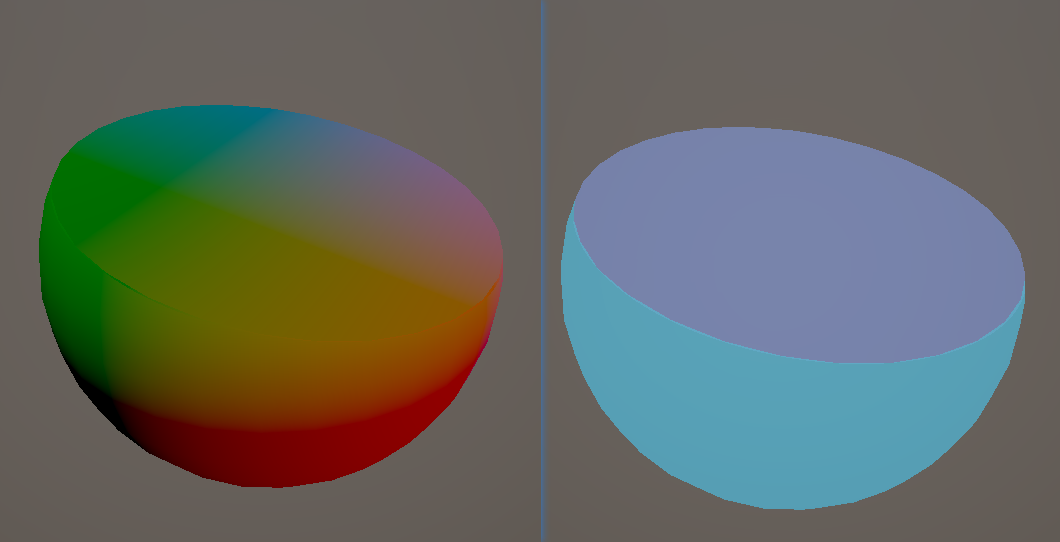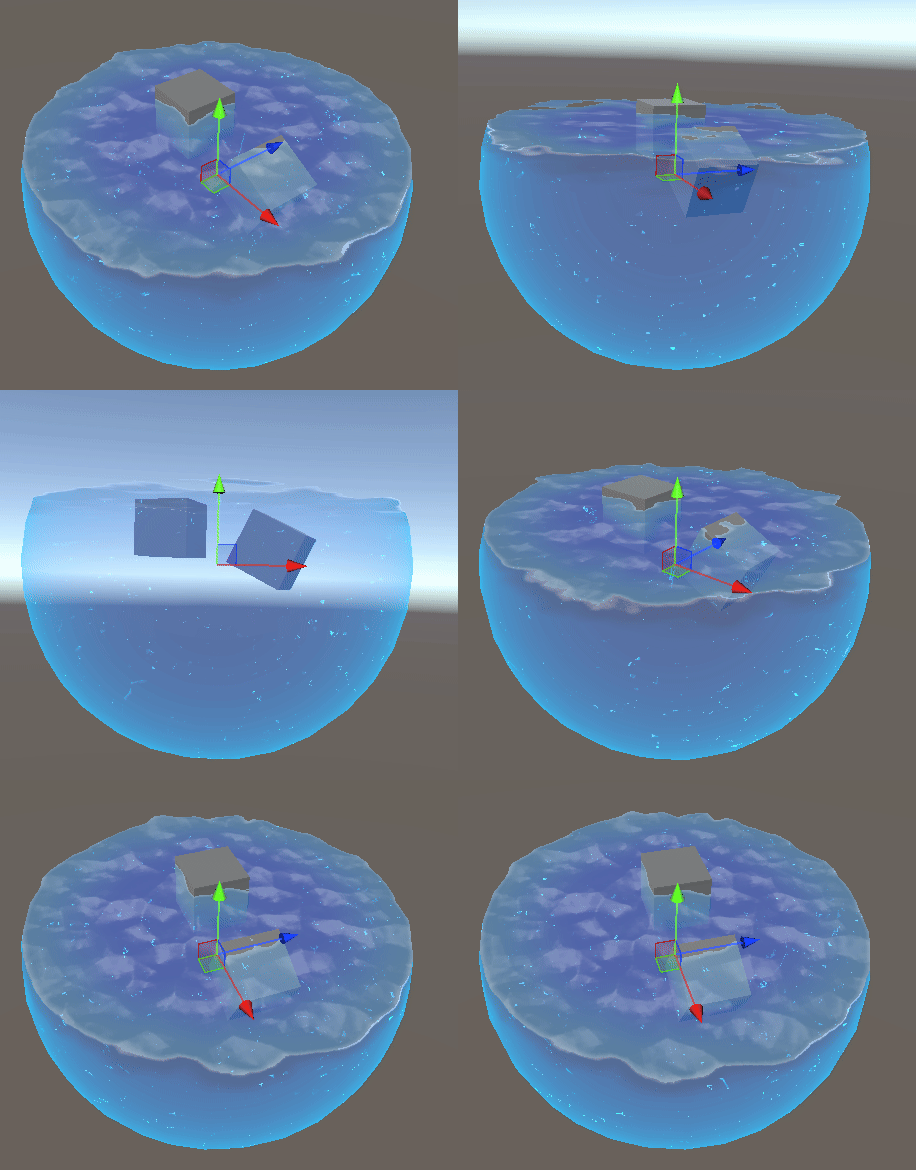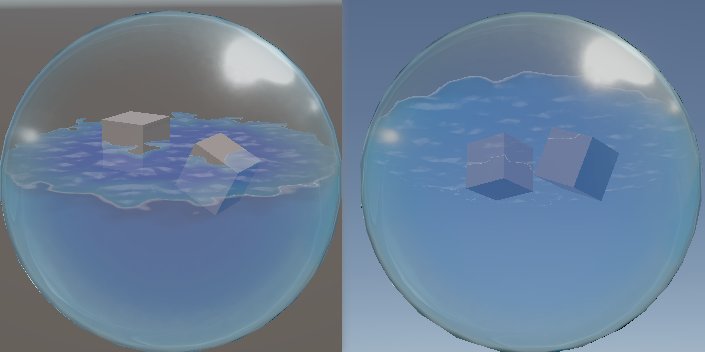
瓶中液体shader

image

液体

高度&FakeWorldPos

常见做法,正面绘制外侧液体,背面绘制内部液体,根据指定方向和高度计算进行clip
image

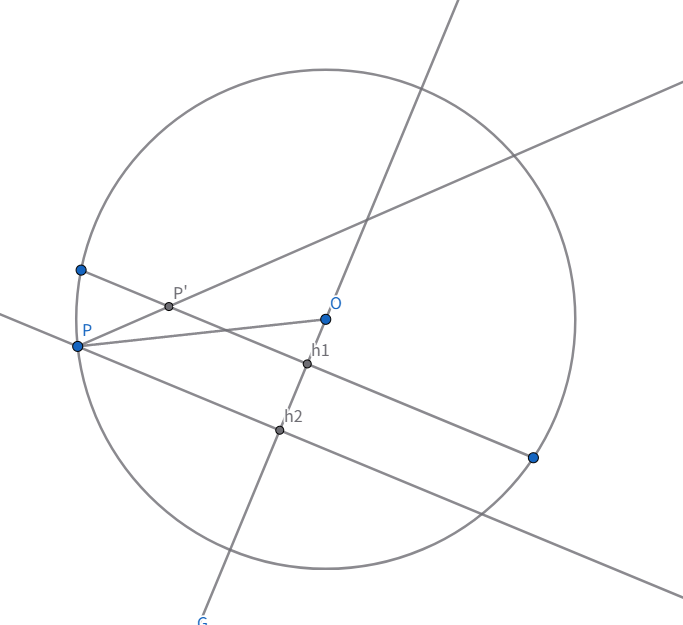
都在世界坐标下计算,已知O是模型原点objectWS,h1O是液体效果的方向upDirWS,Oh1是指定下落的高度Height,P是实际的positionWS,PP’是viewDirWS

需要就得Height - Oh2的高度差来clip高度,并且也需要计算P’的假世界坐标,供后面的计算使用,代码如下

1
2
3
4
5
6
7
8
float3 originWS = i.objectWS;
half3 upDirWS = normalize(_AngleParams.xyz);
float3 positionWS = i.positionWS;
float hprime = dot(normalize(positionWS - originWS), upDirWS) * distance(positionWS, originWS);
float h = _Height - 0.5 - hprime;
          
float l = h / dot(upDirWS, viewDirRayWS);
float3 planePositionWS = positionWS + viewDirRayWS * l;

除了显示在液面的那些背面顶点,其他背面顶点也投影到了液面平面,只不过在球面外,因为会影响半透排序,clip也要对虚拟平面超出球体的部分clip掉

因为是球体,可以简单的通过在model空间计算出是否在球体中,记作planeMask

1
2
3
4
5
6
7
float3 planePositionOS = mul(unity_WorldToObject, float4(planePositionWS, 1.0)).xyz;
float d = length(planePositionOS);
half planeMask = step(d, _Test);

//alpha clip
half alphaClip = lerp(step(0, h) * planeMask, step(0, h), sideMask);
clip(alphaClip - 0.5);

模型正背面可以通过SV_isFronFace获取

1
float4 frag(v2f i,FRONT_FACE_TYPE face : SV_isFrontFace) : SV_Target{

假世界坐标、clip和液体上面和侧面不同的结果

image

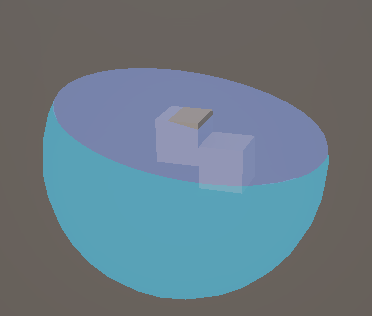
自定义深度

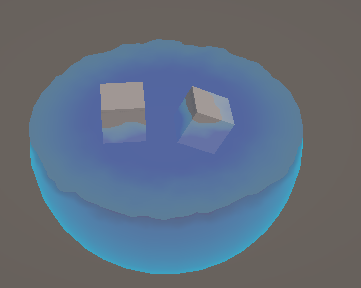
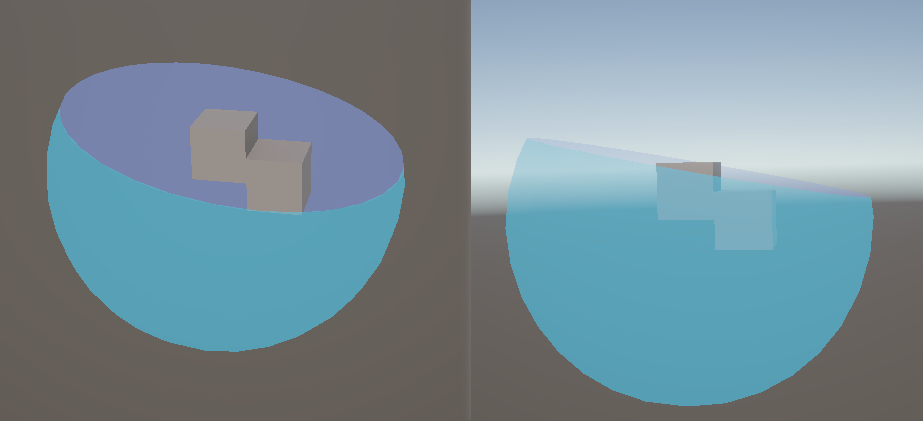
液面下的物体现在不会被液面覆盖,只会显示在最前面,因为液面实际是使用靠下的背面绘制的,实际深度是背面的深度
image

可以通过前面计算的planeWorldPos计算planeDepth,手动指定像素点的精度

1
2
3
4
5
6
7
8
9
10
11
float EyeDepthToLinear01(float eyeDepth)
{
    return (rcp(eyeDepth) - _ZBufferParams.w) / _ZBufferParams.z;
}

float4 frag(v2f i,FRONT_FACE_TYPE face : SV_isFrontFace, out float depthTarget : SV_Depth) : SV_Target{
	...
	//custom depth
    float3 fakePosWS = lerp(planePositionWS, positionWS, sideMask);
    float eyeDepth = dot(fakePosWS - GetCameraPositionWS(), -UNITY_MATRIX_V[2].xyz);
    depthTarget = EyeDepthToLinear01(eyeDepth);

image

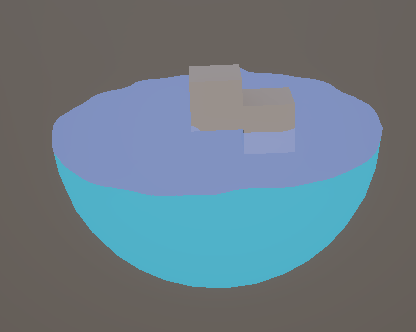
Noise高度偏移
1
2
3
4
5
6
7
8
//height 
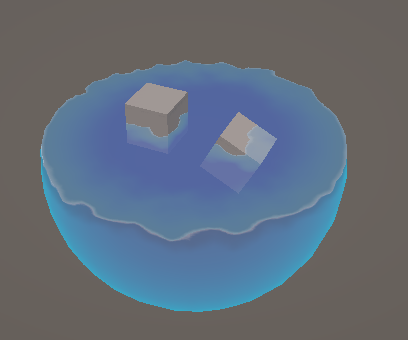
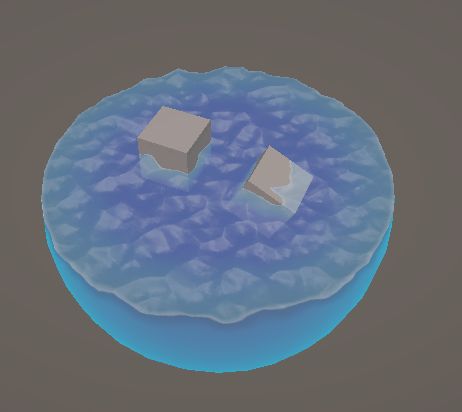
half noiseOffset = _HeightNoise.Sample(sampler_HeightNoise, planePositionWS.xz * _HeightNoiseUVTile + _Time.x * _HeightNoiseSpeed).r - _HeightNoiseOffset;
h += noiseOffset * _AngleParams.a;
//根据高度重新计算,,极端角度偏移值大时,有类似视察的问题,可以通过增加步进采样数优化效果
planePositionWS += viewDirRayWS * noiseOffset / dot(upDirWS, viewDirRayWS) * _AngleParams.a;

float3 planePositionOS = mul(unity_WorldToObject, float4(planePositionWS, 1.0)).xyz;
float d = length(planePositionOS);

image

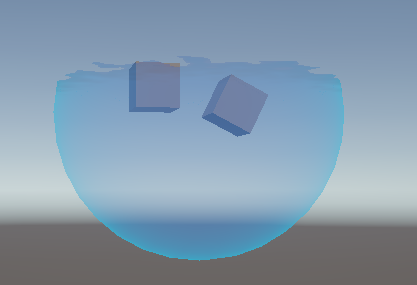
液体表现

侧面通过层面的dothv的rim,之前计算的h的深度,得到两个颜色过渡,侧面的上边缘有做颜色降低处理,模拟水体棱角处的折射和低透明度

1
2
3
4
5
6
7
8
9
10
11
12
13
//rim and depth alpha
//side
float rim = (1 - dotnv) * _SideRimAlphaOffset + 1 - _SideRimAlphaOffset;
rim *= rim;
float depthAlpah = smoothstep(0, _SideDepthAlphaStep, h);
depthAlpah *= _SideDepthAlpha;
float4 sideColor = _BaseColor;
rim += depthAlpah;
sideColor = lerp(_RimColor, sideColor, rim);

//shadow Color
float depthShadow = smoothstep(0.0, _SideShadowStep, abs(h - 0.01)) * 0.3 + 0.7;
sideColor.rgb *= depthShadow;

image

上面通过PlanePositionOS到原点的距离d;plane自定义的深度和场景中不透明深度比较,类似水shader浅滩的做法,插值浅水和深水颜色

1
2
3
4
5
6
7
8
//plane
float2 screenUV = i.positionNDC.xy / i.positionNDC.w;
float worldDepth = SAMPLE_TEXTURE2D(_CameraDepthTexture, sampler_CameraDepthTexture, screenUV).r;
worldDepth = LinearEyeDepth(worldDepth, _ZBufferParams);
float fade = saturate((worldDepth - eyeDepth) / _DepthFadeLength);

float edge = 1 - smoothstep(_PlaneEdgeStep - _PlaneEdgeSmooth, _PlaneEdgeStep + _PlaneEdgeSmooth, d);
float4 planeColor = lerp(_PlaneColor, _PlaneDepthColor, fade * edge);

image

进一步,使用上面的这些数据,为侧面上边缘,上面边缘,物体与水体的交面添加模拟反光

1
2
3
4
5
6
7
8
9
//side lit
float depthLit = 1 - smoothstep(0.0, _SideLitStep, h);
sideColor.rgb += depthLit * _LitColor.rgb;

depthLit = 1 - smoothstep(0.0, _PlaneDepthLitStep, fade);

//plane lit
float edgeLit = smoothstep(_PlaneEdgeLitStep - 0.01, _PlaneEdgeLitStep + 0.01, d);
planeColor.rgb += _LitColor.rgb * (edgeLit + depthLit);

image

为水面添加bliin-phone高光,法线由之前采样HeightNoise时,改为采样一张NormalNoise贴图,其中rgb作为normal, a作为height

1
2
3
dotnh = saturate(dot(normalWS, halfDirWS));
float3 specColor = _LitColor.rgb * pow(dotnh, 5) * 0.5;
planeColor.rgb += specColor;

image

从水体侧面看向水面的效果,需要构建在侧面像素时,对应的水面的一系列效果数据(planePositionWS 、depth等),实际上就是viewDirWS的方向不一致

通过face确定viewDirRayWS的方向,viewDirRayWS照常进行前面的计算,它只在侧面时,是反方向的,不会影响水面的效果,同时也不会增加计算量

并且,还需要比较customDepth和不透明物体的深度,让物体能够正确的遮挡水面,并且借此深度可以计算交接光效果

1
2
3
4
5
6
7
8
9
10
11
12
half sideMask = face;

half3 viewDirRayWS = lerp(viewDirWS, -viewDirWS, sideMask);
...
float eyePlaneDepth = dot(planePositionWS - GetCameraPositionWS(), -UNITY_MATRIX_V[2].xyz);
...

//side lit
fade = (worldDepth - eyePlaneDepth) / _DepthFadeLength;
depthLit = 1 - smoothstep(0.0, _PlaneDepthLitStep, fade);
float3 sidePlaneLit = specColor + _LitColor.rgb * depthLit;
sideColor.rgb += sidePlaneLit * planeMask * step(0, fade);

image

闪光

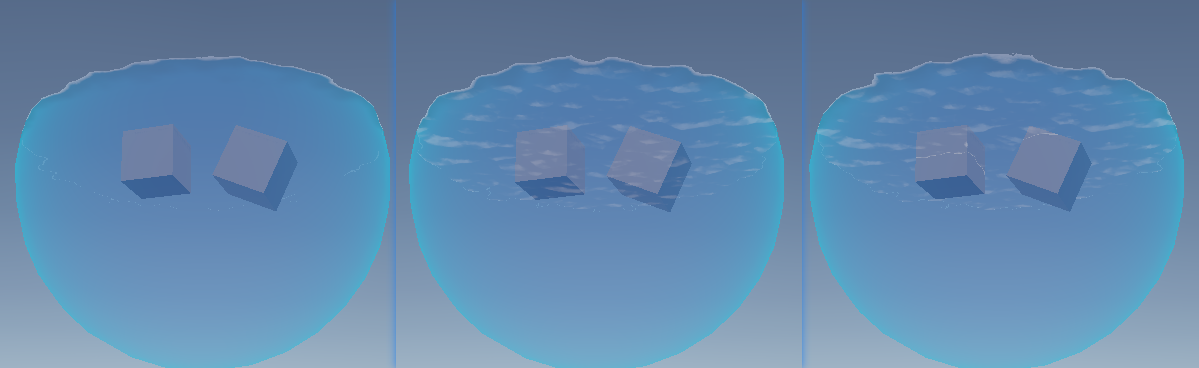
增加一些带有体积感的闪光,侧面用视察方法计算,上面用viewDirWS去偏移planePositionWS来计算采样uv

1
2
3
4
5
6
7
8
9
10
11
12
13
14
#ifdef USE_SPARKLE_MAP
    float height = 1;
    #ifdef USE_PARALLAX_MAP_FOR_SPARKLE
        float4 sparkleParallax = _SparkleParallaxMap.Sample(sampler_SparkleParallaxMap, i.uv);
        float heightS = 1 - sparkleParallax.g;
        height = heightS;
        heightS *= _SparkleParallaxStrength;
        // uvSparkle -= lookDirTS.xy * heightS; 
        uvSparkle -= lerp(viewDirWS.xz, lookDirTS.xy, sideMask) * heightS;
    #endif
    float4 randColor = _SparkleMap.Sample(sampler_SparkleMap, uvSparkle);
    sparkle = max(0.01, dot(normalize(lookDirTS), normalize(randColor.rgb - 0.5)));
    sparkle = pow(sparkle, _SparklePow) * randColor.a * height;
#endif

image

玻璃

用了MatCap方法做的

image

1
2
3
4
5
6
7
8
9
10
11
12
13
14
15
16
17
18
19
20
21
22
23
24
25
26
27
28
29
float4 frag(Varings IN):SV_TARGET{
    //glass pattern
    float3 normalTS = UnpackNormal(SAMPLE_TEXTURE2D(_normalTexture,sampler_normalTexture,IN.uv));
    //TBN
    float3x3 TBN = float3x3(IN.tangentWS,IN.BtangentWS,IN.normalWS);
    float3 bump = normalize(mul(normalTS,TBN));
    float3 viewBump = normalize(TransformWorldToViewDir(bump));

    //sepcular
    float2 matCapuv = IN.normalVS.xy;
    //float2 matCapuv = viewBump.xy;
    matCapuv = matCapuv*0.490+0.5;
    half3 matCapColor = SAMPLE_TEXTURE2D(_matCap,sampler_matCap,matCapuv).rgb;

    //thickness
    float3 viewDir = normalize(IN.positionWS.xyz - GetCameraPositionWS().xyz);
    float fresnel = pow(saturate(1.0-dot(-viewDir,IN.normalWS.xyz)),_edgeThickness);
    float thickness = fresnel;

    //refraction
    float Refintensity = thickness * _refintensity;
    float3 refColor = SAMPLE_TEXTURE2D(_refMatCapTexture,sampler_refMatCapTexture,matCapuv + Refintensity).rgb;
    float3 c1 = _BaseColor.rgb*0.5;
    float3 c2 = refColor*_BaseColor.rgb;
    float3 finalCol = lerp(c1,c2,thickness);

    return float4(lerp(matCapColor.r * _SpecularColor.rgb,finalCol,thickness), matCapColor.r + thickness);

}

参考

https://www.patreon.com/posts/fake-liquid-urp-75665057

https://zhuanlan.zhihu.com/p/694949392

https://mp.weixin.qq.com/s/-ukjq_pJqCCAYHQEcmzO3w