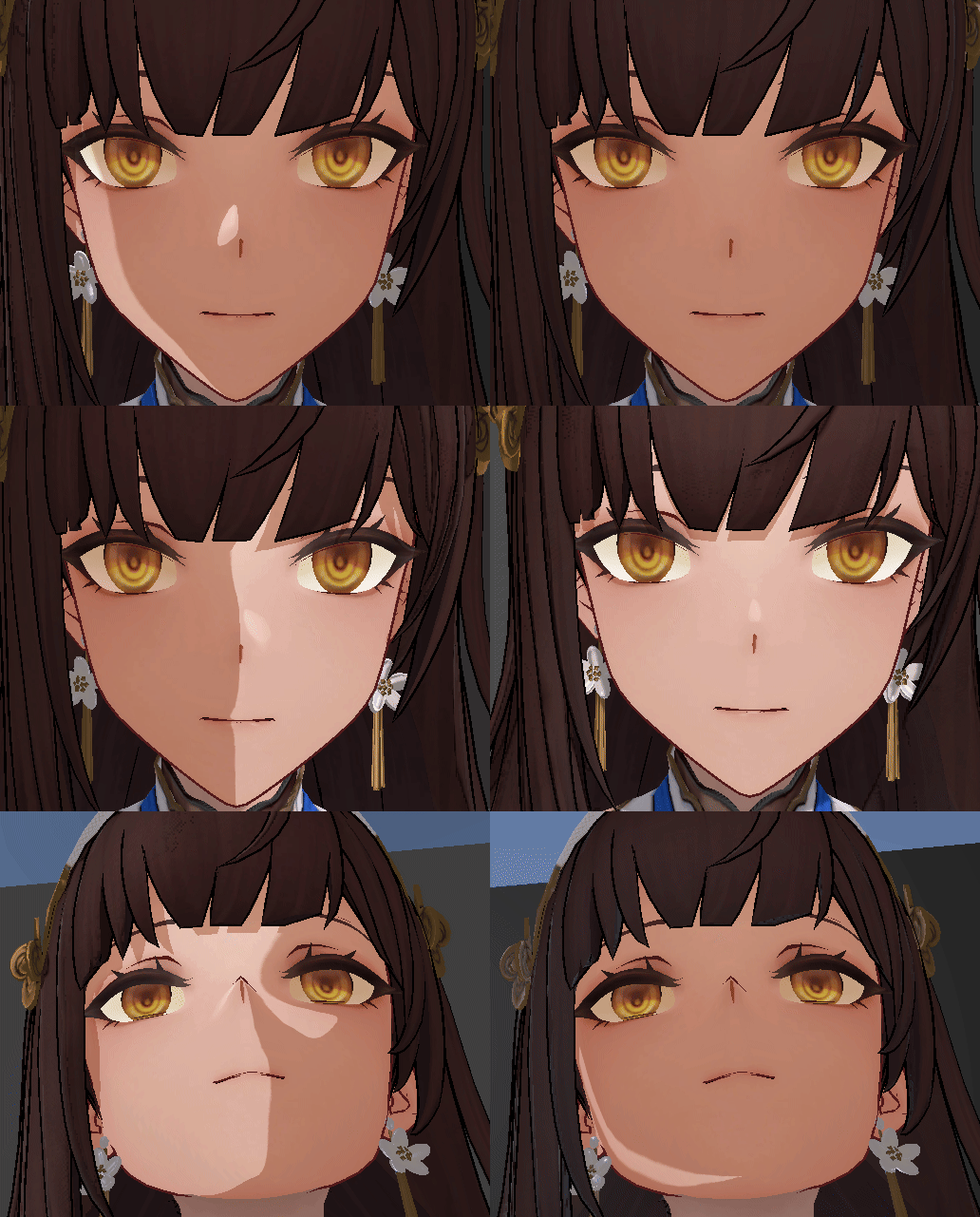
少前2PBR卡通渲染

image

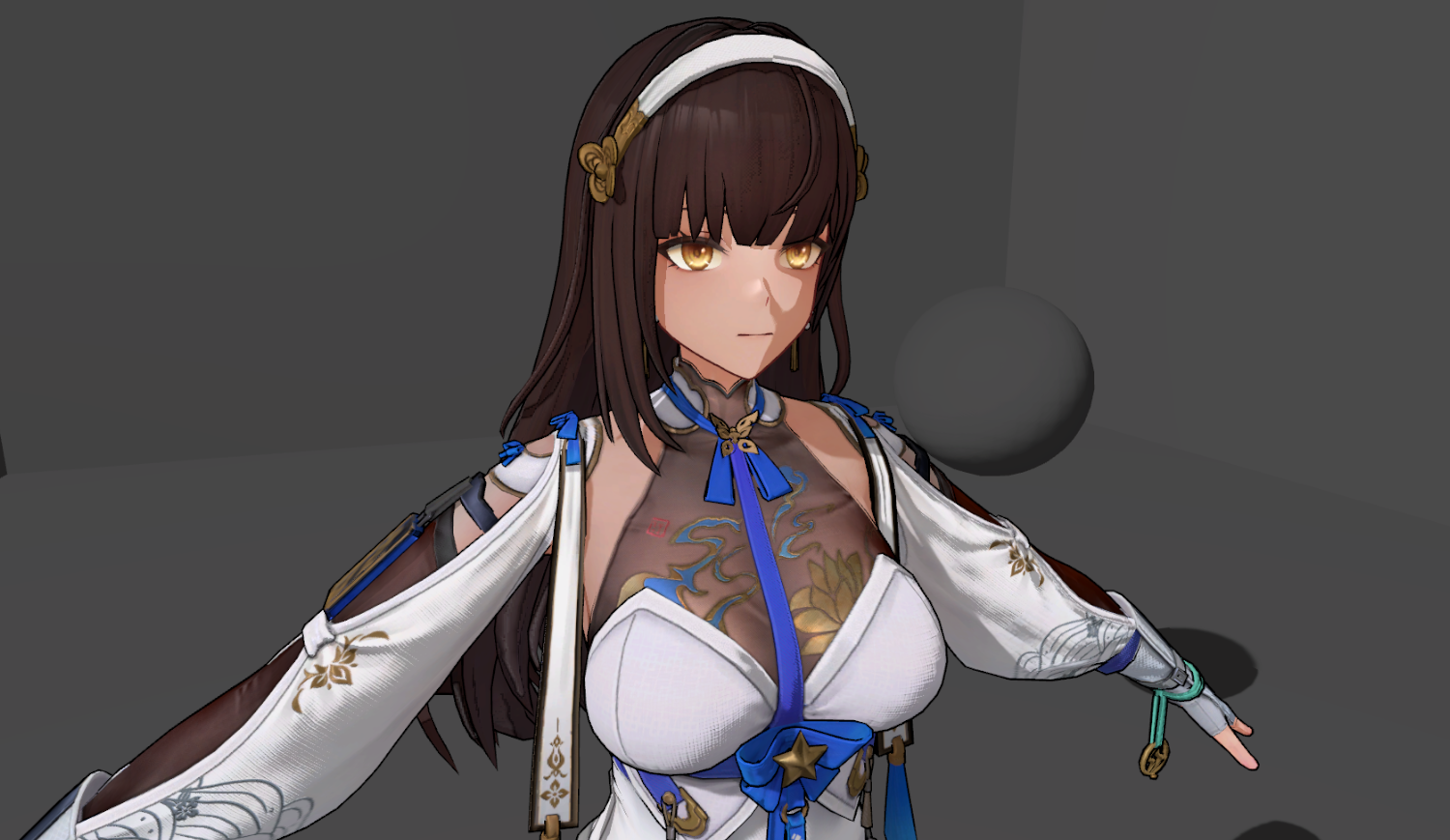
部分基于PBR的卡通渲染,主要是调整一些数据(dotnl)二值化(step, smoothstep, ),或者重新映射到Remp贴图,使用映射后的数据进行后续的PBR BRDF计算,当然也少不了许多trick做法

PBRBase
image

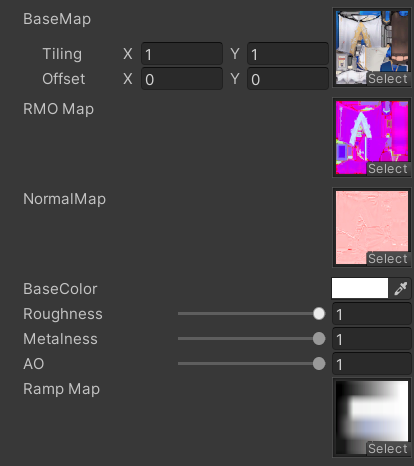
身体的部分有法线和粗糙度、金属镀、遮蔽的合并贴图,基本颜色贴图中也有AO,并且还有一张RampMap,提供漫反射、高光反射的映射颜色

贴图采样和各项数据准备

1
2
3
4
5
6
7
8
9
10
11
12
13
14
15
16
17
18
19
20
21
22
23
24
25
26
half4 baseMap = _BaseMap.Sample(sampler_BaseMap, i.uv);
half3 rmo = _RMO.Sample(sampler_BaseMap, i.uv).xyz;
half3 normalTS = _NormalMap.Sample(sampler_BaseMap, i.uv).gab;
normalTS.xy = normalTS.xy * 2 - 1;
normalTS = normalize(normalTS);

float3x3 t2w = float3x3(i.tangentWS, i.bitangentWS, i.normalWS);
half3 normalWS = normalize(mul(normalTS, t2w));
float4 shadowCoord = TransformWorldToShadowCoord(i.positionWS);
Light light = GetMainLight(shadowCoord);

half3 lightDirWS = normalize(light.direction);
half3 viewDirWS = normalize(i.viewDirWS);
half3 halfDirWS = Safe_Normalize(viewDirWS + lightDirWS);
//shadow
half shadow = light.shadowAttenuation;

half dotnl = saturate(dot(normalWS, lightDirWS));
half dotnh = dot(normalWS, halfDirWS);
half dotnv = dot(normalWS, viewDirWS);
half dotvh = dot(viewDirWS, halfDirWS);

half metallic = rmo.g * _Metallic;
half roughness = rmo.r * _Roughness;
half ao = lerp(1, rmo.b, _AO);
half3 albedo = baseMap.rgb * _BaseColor.rgb;

直接光照

对dotnl通过sigmoid函数进行映射,得到可调整过渡范围的值,再用得到的值去采样RampMap贴图,得到的结果作为直接漫反射

1
2
3
4
5
half halfDotnl = dotnl * 0.5 + 0.5;
//NPR
float dotnlRemap = saturate(sigmoid(halfDotnl, _ShadowOffset, _ShadowSharp * 10));
half3 shadowRamp = _RampMap.Sample(sampler_RampMap, float2(dotnlRemap, 0.1)).rgb;
float3 directDiffColor = DiffuseFromMetallic(albedo, metallic) * shadowRamp;

image

高光反射颜色对dotvh进行映射,然后采样RampMap获得;同时也把dotnlRemp传入G__SmithGGX​,高光部分没有进一步进行风格化处理,保留其质感

1
2
3
4
5
6
7
8
9
10
11
12
13
14
15
16
float3 F0 = SpeculerColorFormMetallic(albedo, metallic) * specRamp.rgb;
float perceptualRoughness = sqrt(roughness);
float roughnessSquare = roughness * roughness;
float smoothness = 1 - perceptualRoughness;
float NDF = D__GGX(roughness, dotnh);
float G = G__SmithGGX(roughness, dotnv, dotnlRemap);
float3 F = F__Schlick(F0, dotvh);


float3 nom = NDF * G * F;
float3 denom = 4.0 * dotnv * dotnlRemap + 0.00001;
float3 BRDFSpec = nom / denom;
float3 directSpecColor = clamp(BRDFSpec * PI / F , 0, 10) * F * shadowRamp;


float3 directLightResult = (directDiffColor + directSpecColor * dotnlRemap) * light.color;

image

间接光照

直接用Unity的全局光照和一个自定义的光照颜色插值计算

1
2
3
4
5
6
7
8
// undirect
float3 indirectColor = 0;
float3 bakeGI = SAMPLE_GI(i.lightmapUV, i.vertexSH, normalWS);
float3 IBL = UnityGI_IndirectSpecular(normalWS, viewDirWS, smoothness);
float3 indirectSpecular = IBL * ao;
float3 indirectDiffuse = bakeGI * ao;
float3 env = BRDF_Env(directSpecColor, perceptualRoughness, dotnv);
indirectColor = env * (indirectSpecular + lerp(indirectDiffuse, _UnDirectColor * albedo.rgb, 0.5));

阴影

为了让阴影和dotRamp的结果融合,在进行dotnl映射前把shadow乘上去

1
2
3
4
half shadow = light.shadowAttenuation;
dotnl *= shadow;
half halfDotnl = dotnl * 0.5 + 0.5;
float dotnlRemap = saturate(sigmoid(halfDotnl, _ShadowOffset, _ShadowSharp * 10));

image

丝袜

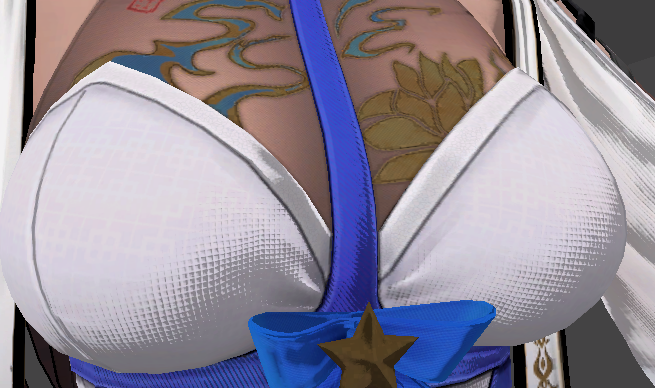
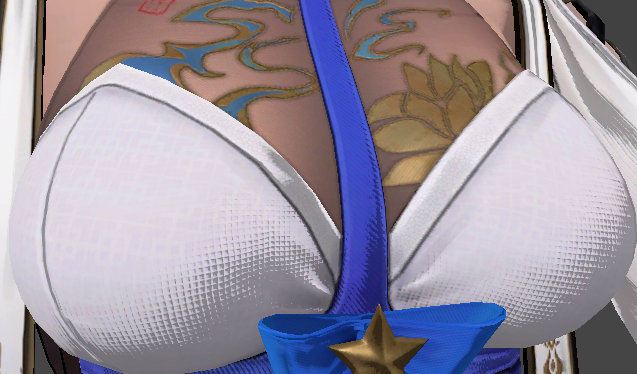
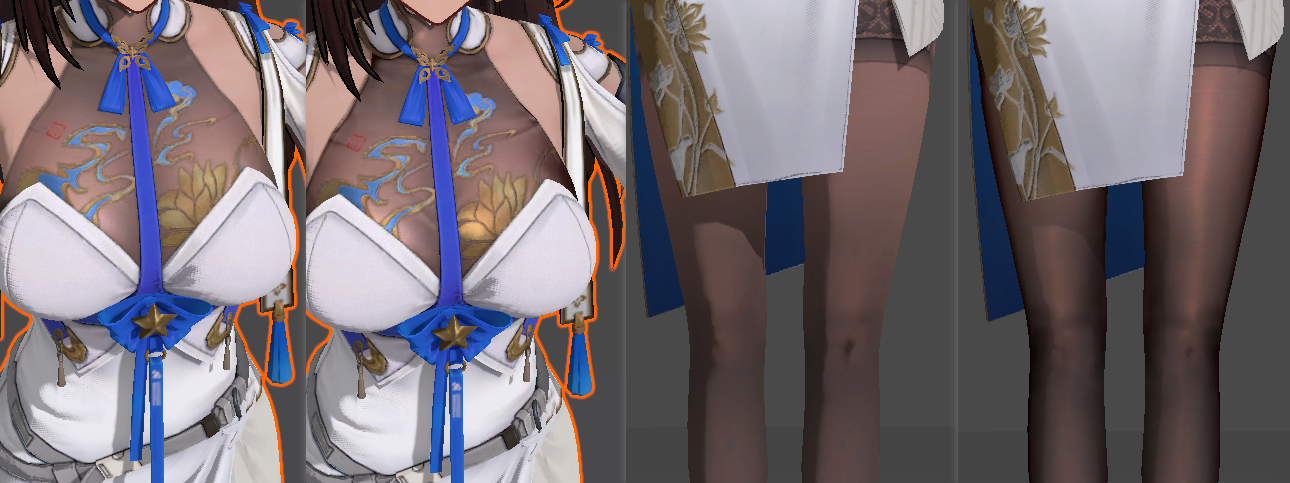
身体上衣物的丝袜部分和其他部位使用同一种贴图,一个submesh,虽然贴图的金属度、粗糙度等有提供一些表现,但效果依然不够;

通过模型上的顶点色G通道,标记为0的部分,作为丝袜遮罩,进行额外的丝袜渲染计算

首先对于丝袜,漫反射部分更加柔和,需要dotnl的渐变过渡更加缓和,提供单独的_StockingShadowSharp​对dotnlRemap进行映射

1
2
3
4
5
float dotnlRemap = saturate(sigmoid(halfDotnl, _ShadowOffset, _ShadowSharp * 10));
#ifdef _USE_STOCKING
	float stockingRemap = saturate(sigmoid(halfDotnl, _ShadowOffset, _StockingShadowSharp * 10));
	dotnlRemap = lerp(stockingRemap, dotnlRemap, i.vertexColor.g);
#endif

然后通过RimLit的计算方法,对漫反射边缘压暗,额外增加dotnv中心部分的高光

1
2
3
4
5
6
7
8
9
10
11
12
13
14
//socker
#ifdef _USE_STOCKING
    half stockingMask = 1 - i.vertexColor.g;
    half rim = dotnv * dotnv;// * 0.75 + 0.25;
    // rim *= rim;
    directDiffColor *= lerp(1, lerp(_StockingRimColor, 1, rim), stockingMask).rgb;
    rim = dotnv * dotnv;
    rim *= rim;
    rim *= rim;
    rim *= rim;
    rim *= rim;
    rim *= rim;
    directSpecColor += rim * stockingMask * albedo.rgb * _StockingSpecColor.rgb * shadow;
#endif

image

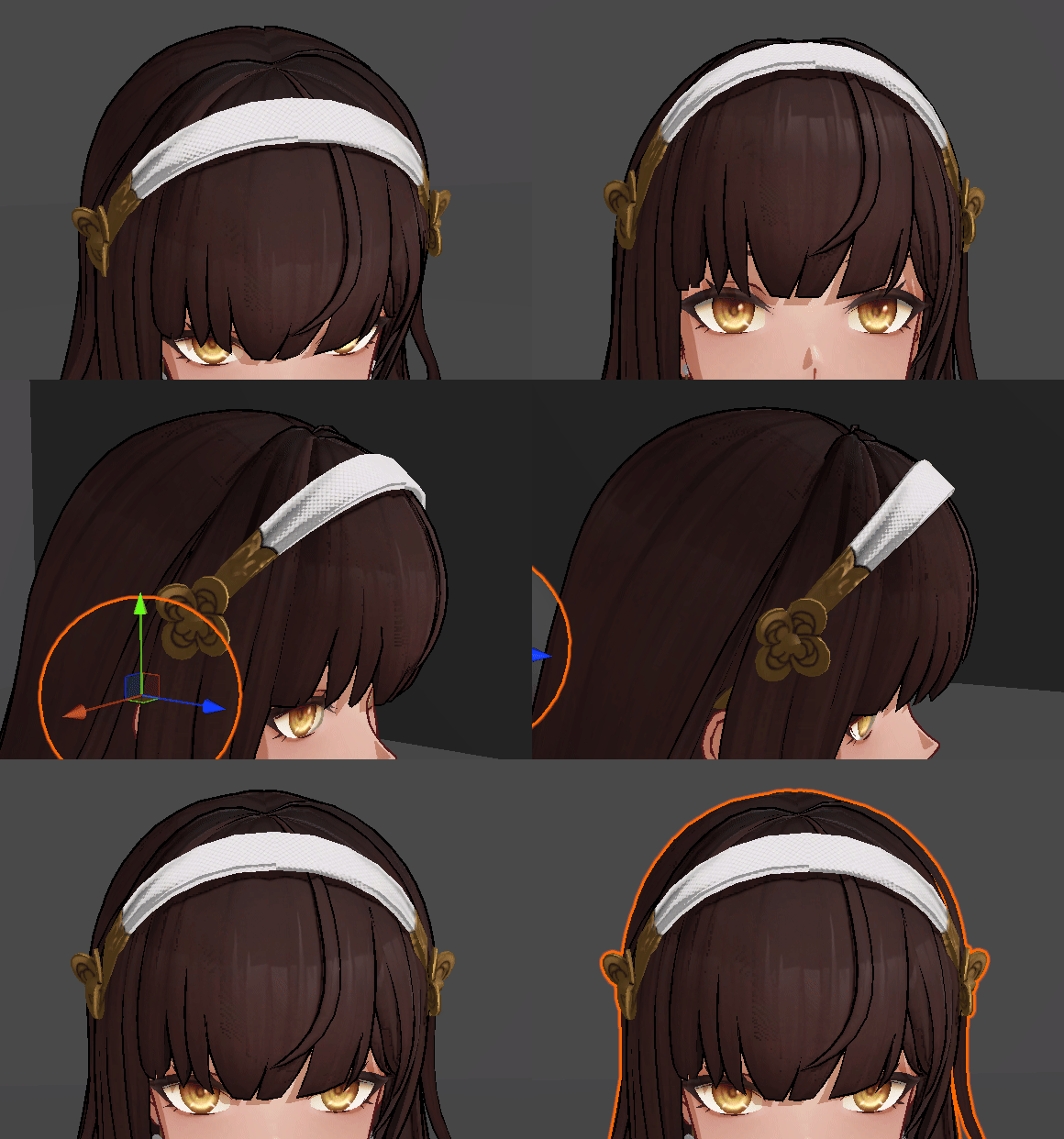
头发

头发没有法线和rmo贴图

1
2
3
4
half3 normalWS = normalize(i.normalWS);
half metallic = 0;
half roughness = _Roughness;
half ao = 1;

image

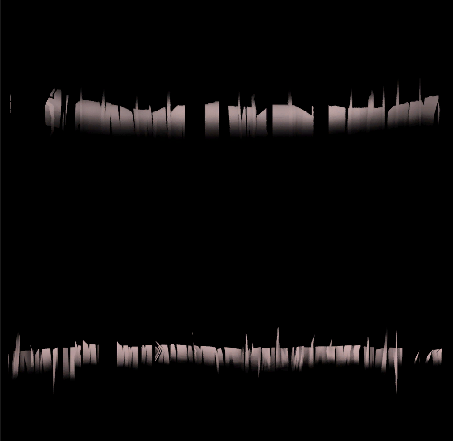
头发的高光用世界坐标的视线方向的y对uv1.y偏移,采样高光贴图,受blinnphone高光计算影响,同时也有最小值,让阴影处有些微高光

1
2
3
4
5
6
7
//hair spec
float2 hairSpecUV = i.uv1;
hairSpecUV = hairSpecUV * _SpecMap_ST.xy + _SpecMap_ST.zw;
hairSpecUV.y += viewDirWS.y * _SpecScale + _SpecOffset;
half3 hairSpecMap = _SpecMap.Sample(sampler_LinearClamp, hairSpecUV).rgb;
float hairSpecStrength = _SpecMin + pow(abs(dotnh), _SpecBlinnPow) * dotnlRemap;
half3 hairSpecColor = hairSpecMap * _SpecColor * hairSpecStrength;

image

面部

image

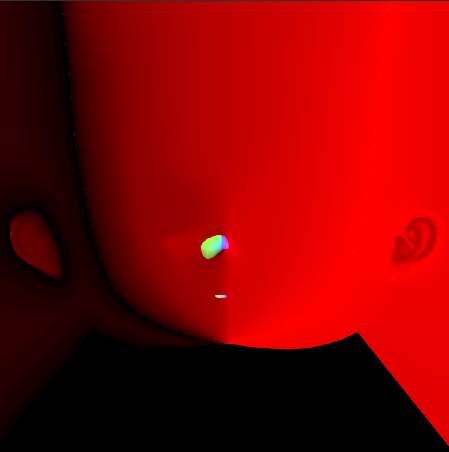
R通道是漫反射sdf,A通道是固定阴影区域, GB是高光sdf

SDF漫反射和高光

面部阴影通过sdf计算得到,用此sdf结果当做dotnl去计算采样rampMap贴图得到漫反射结果

sdf使用smoothstep平滑渐变,sdf贴图也需要设置高精度的压缩格式

1
2
3
4
5
6
7
8
9
10
11
12
13
14
15
16
17
18
19
20
21
//vert
o.rightWS = normalize(mul((float3x3)unity_ObjectToWorld, _FaceRightDirWS));
o.forwordWS = normalize(mul((float3x3)unity_ObjectToWorld, _FaceFrontDirWS));
...
//frag
//sdf face shadow
float2 lightDirHWS = normalize(lightDirWS.xz);
i.rightWS.xz = normalize(i.rightWS.xz);
half faceRLDot = dot(lightDirHWS, i.rightWS.xz);
half faceFLDot = dot(-lightDirHWS, i.forwordWS.xz);

float2 faceLightMapUV = i.uv1;
faceLightMapUV.x = faceRLDot < 0 ? faceLightMapUV.x : 1 - faceLightMapUV.x;
half4 faceSdfMap = _FaceSdfMap.Sample(sampler_BaseMap, faceLightMapUV);
half faceSDF = faceSdfMap.r;
half faceShadowArea = faceSdfMap.a;
float faceShadow = 1 - smoothstep(faceSDF - _FaceShadowSmooth, faceSDF + _FaceShadowSmooth, saturate(faceFLDot * 0.5 + _FaceShadowOffset));

half halfDotnl = faceShadow * 0.5 + 0.5;
float dotnlRemap = saturate(sigmoid(halfDotnl, _ShadowOffset, _ShadowSharp * 10));
half3 shadowRamp = _RampMap.Sample(sampler_RampMap, float2(dotnlRemap, 0.1)).rgb;

gb通道的sdf结果相乘,作为高光区域,这里是使用前方向和光照方向点乘

1
2
3
4
5
6
7
8
//sdf face spec
float faceSpecStep = 1 - abs(faceFLDot);
faceLightMapUV.x = 1- faceLightMapUV.x;
half4 faceSpecSdf = _FaceSdfMap.Sample(sampler_BaseMap, faceLightMapUV);
float specArea1 = 1 - smoothstep(faceSpecSdf.g - _FaceSpecSmooth, faceSpecSdf.g + _FaceSpecSmooth, faceSpecStep);
float specArea2 = 1 - smoothstep(faceSpecSdf.b - _FaceSpecSmooth, faceSpecSdf.b + _FaceSpecSmooth, 1 - faceSpecStep);
float faceSpecArea = specArea1 * specArea2;
faceSpecArea *= dotnl;

面部只有直接光照了

1
float3 directLightResult = (directDiffColor * shadowRamp + faceSpecArea * shadowRamp * _FaceSpecColor.rgb) * light.color;

image

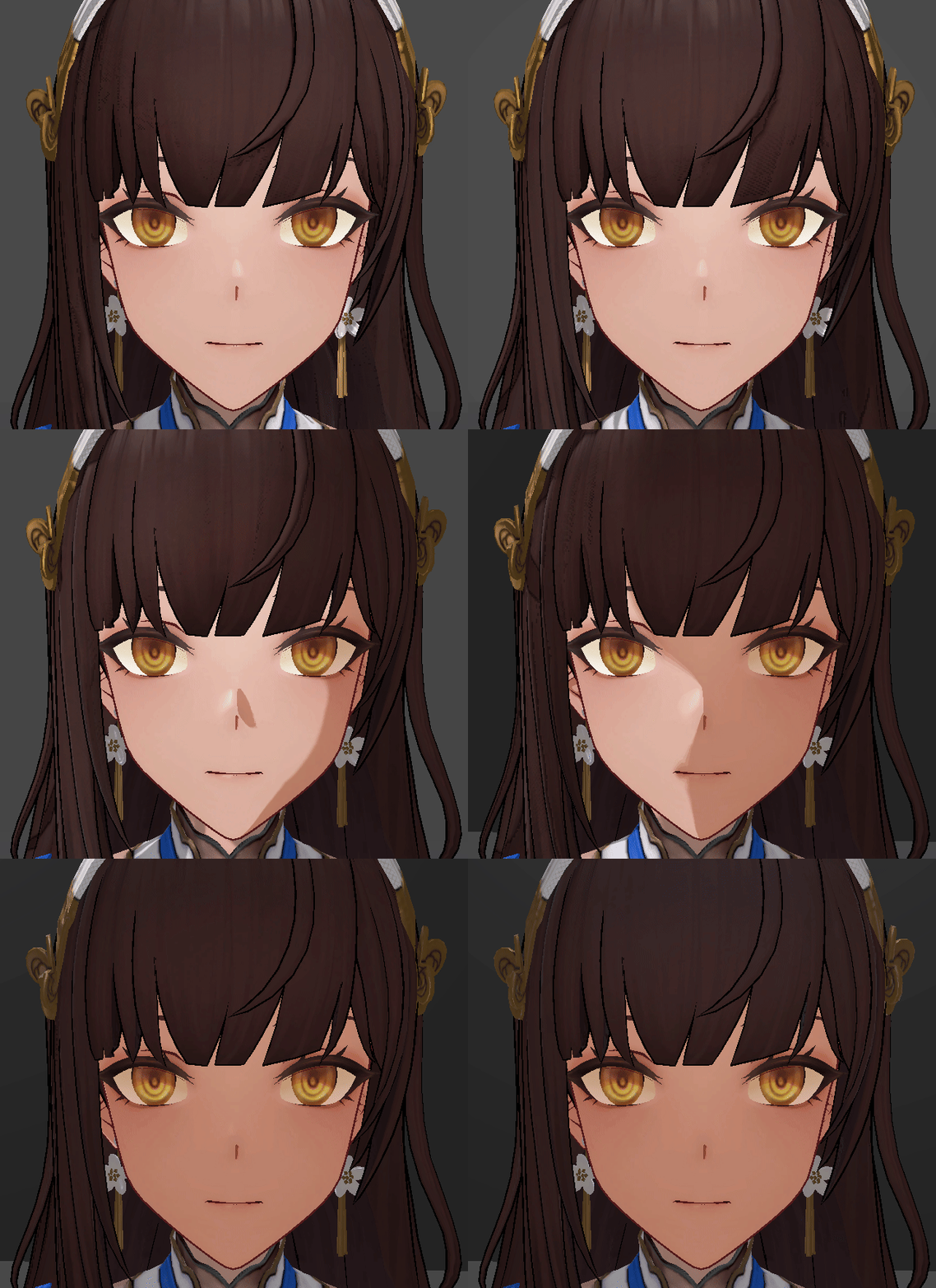
头发投影

头发在面部的投影,为了能让面部阴影能在光照计算时融合的更好,这里选择用额外渲染customDepth的方案,在头发的subShader中定义CustomDepthPass

1
2
3
4
5
6
7
8
9
10
11
12
13
14
15
16
17
18
19
20
21
22
23
24
25
26
27
28
29
30
31
32
33
34
35
        Pass
        {
            Name "CustomDepth"
            Tags{
                "LightMode" = "CustomDepth"
            }

            ZWrite On

            HLSLPROGRAM

            #pragma vertex vert
            #pragma fragment frag
   

            struct appdata{
                float4 positionOS   :POSITION;
            };

            struct v2f{
                float4 positionCS   :SV_POSITION;
            };

            v2f vert(appdata v){
                v2f o;
                o.positionCS = TransformObjectToHClip(v.positionOS.xyz);
                return o;
            }

            float4 frag(v2f i) : SV_TARGET{
                return 0.0;
            }

            ENDHLSL
        }

自定义RenderFeature的C# 代码

1
2
3
4
5
6
7
8
9
10
11
12
13
14
15
16
17
18
19
20
21
22
23
24
25
26
27
28
29
30
31
32
33
34
35
36
37
38
39
40
41
42
43
44
45
46
47
48
49
50
51
52
53
54
55
56
57
58
59
60
61
62
63
64
65
66
67
68
69
70
71
72
73
74
75
76
77
78
79
80
81
82
83
84
85
86
87
using System.Collections;
using System.Collections.Generic;
using UnityEngine;
using UnityEngine.Rendering;
using UnityEngine.Rendering.Universal;


public class SRF_CustomDepth : ScriptableRendererFeature
{
    public RenderPassEvent renderPass = RenderPassEvent.BeforeRenderingPrePasses;
    SRP_CustomDepth customDepthPass;

    string shaderTagName = "CustomDepth";
    FilteringSettings filtering;


    public override void Create()
    {
        customDepthPass = new SRP_CustomDepth(shaderTagName);
        customDepthPass.renderPassEvent = renderPass;

    }

    public override void AddRenderPasses(ScriptableRenderer renderer, ref RenderingData renderingData)
    {
        renderer.EnqueuePass(customDepthPass);
    }
}

class SRP_CustomDepth : ScriptableRenderPass
{
    private FilteringSettings filteringSettings;
    private ShaderTagId shaderTagId;
    // private RenderTargetHandle colorTarget;
    private RenderTargetHandle destination;
    string m_ProfilerTag = "CustomDepth";

    public SRP_CustomDepth(string passName)
    {
        this.renderPassEvent = RenderPassEvent.BeforeRenderingPrePasses;
        shaderTagId = new ShaderTagId(passName);
        filteringSettings = new FilteringSettings(RenderQueueRange.opaque);
        destination.Init("_CustomDepthTexture");
    }

    public override void Configure(CommandBuffer cmd, RenderTextureDescriptor cameraTextureDescriptor)
    {
        RenderTextureDescriptor desc = new RenderTextureDescriptor(Screen.width, Screen.height, RenderTextureFormat.Depth, 24, 0);
        desc.msaaSamples = 1;
        desc.useMipMap = false;
        desc.autoGenerateMips = false;

        cmd.GetTemporaryRT(destination.id, desc);

        ConfigureTarget(destination.id);
        ConfigureClear(ClearFlag.All, Color.black);
    }

    public override void Execute(ScriptableRenderContext context, ref RenderingData renderingData)
    {
        CommandBuffer cmd = CommandBufferPool.Get(m_ProfilerTag);

        using(new ProfilingScope(cmd, new ProfilingSampler(m_ProfilerTag)))
        {
            context.ExecuteCommandBuffer(cmd);
            cmd.Clear();

            ref CameraData cameraData = ref renderingData.cameraData;
            Camera camera = cameraData.camera;

            var drawSettings = CreateDrawingSettings(shaderTagId, ref renderingData, SortingCriteria.CommonOpaque);
            context.DrawRenderers(renderingData.cullResults, ref drawSettings, ref filteringSettings);

            cmd.SetGlobalTexture("_CustomDepthTexture", destination.id);
        }

        context.ExecuteCommandBuffer(cmd);
        CommandBufferPool.Release(cmd);
    }

    public override void FrameCleanup(CommandBuffer cmd)
    {
       cmd.ReleaseTemporaryRT(destination.id);
    }
  
}

在shader中,通过positionCS.w决定强度,用view Space的光照方向对screenUV进行偏移,采样自定义深度,和当前深度比较,得到头发阴影区域

1
2
3
4
5
6
7
8
9
10
//hair shadow
float2 screenUV = i.positionNDC.xy / i.positionNDC.w;

half hairOffsetX = _HairShadowXWidth * 0.01 / i.positionCS.w;
half hairOffsetY = _HairShadowYWidth * 0.01 / i.positionCS.w;
half2 targetHairScreenPos = float2(screenUV.x + (lightDirVS.x * hairOffsetX) , screenUV.y + lightDirVS.y * hairOffsetY);
half hairDepth = SAMPLE_TEXTURE2D(_CustomDepthTexture, sampler_CustomDepthTexture, targetHairScreenPos).r;
half hairShadow = step(hairDepth, i.positionCS.z);

half halfDotnl = faceShadow * hairShadow * 0.5 + 0.5;

image

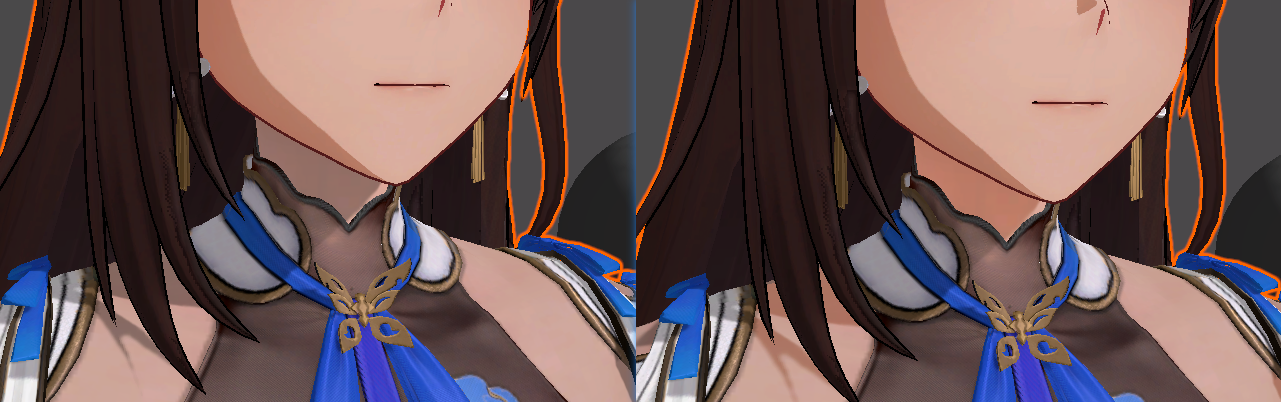
身体上的皮肤和面部不一致

因为使用的Remap贴图不一致,可以看到阴影、光照还有过渡都不一致

通过身体模型上顶点色r通道标记为0,获取skin的区域

1
2
3
4
5
6
7
8
float dotnlRemap = saturate(sigmoid(halfDotnl, _ShadowOffset, _ShadowSharp * 10));
half3 shadowRamp = _RampMap.Sample(sampler_RampMap, float2(dotnlRemap, 0.1)).rgb;
#ifdef _USE_SKIN
    float skinDotnlRemap = saturate(sigmoid(halfDotnl, _SkinShadowOffset, _SkinShadowSharp * 10));
    half3 skinShadowRamp = _SkinRampMap.Sample(sampler_RampMap, float2(skinDotnlRemap, 0.1)).rgb;
    dotnlRemap = lerp(skinDotnlRemap, dotnlRemap, i.vertexColor.r);
    shadowRamp = lerp(skinShadowRamp, shadowRamp, i.vertexColor.r);
#endif

image

眼睛

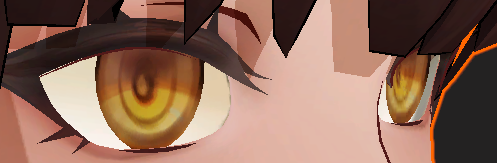
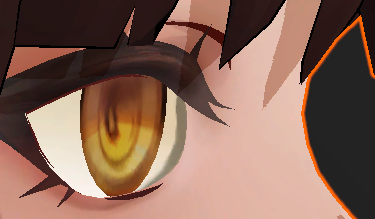
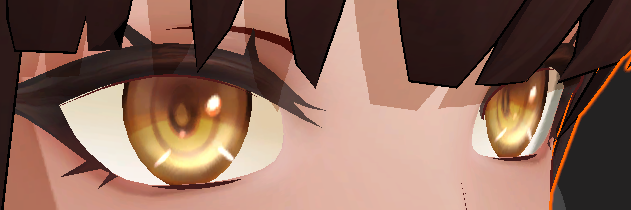
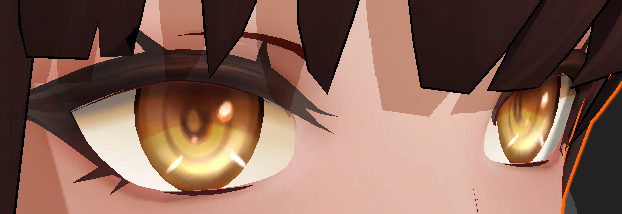
眼睛的模型分成了3个,凹下去的眼睛本体,突出来的高光和阴影片,看的出来是想通过模型空间上构建视察的效果

眼球

不透明,加强了视差效果

1
2
3
4
5
6
half depth = _DepthMap.Sample(sampler_BaseMap, i.uv).r * _DepthStrength;
float3 viewDirTS = normalize(mul(t2w, viewDirWS));
viewDirTS.y *= -1;
float2 eyeUV = i.uv + viewDirTS.xy / viewDirTS.z * depth;

half4 baseMap = _BaseMap.Sample(sampler_BaseMap, eyeUV);

image

image

眼球高光

Additive

image

image

眼球阴影

Mul

image

image

描边

模型需要通过把平滑法线的xy以切线方向储存到uv2中;在vert中重建smoothNormalOS,偏移距离受positionCS.w影响

1
2
3
4
5
6
7
8
9
10
11
12
13
14
15
16
17
18
19
20
21
22
23
24
25
26
27
28
29
30
31
32
33
34
35
36
37
38
#ifndef OUTLINE_PASS
#define OUTLINE_PASS

struct appdata{
    float4 positionOS   :POSITION;
    float3 normalOS     :NORMAL;
    float4 tangentOS     :TANGENT;
    float3 uv2          :TEXCOORD2;
    float4 color        :COLOR;
};

struct v2f{
    float4 positionCS   :SV_POSITION;
};

v2f outvert(appdata v)
{
    v2f o;
    float4 positionCS = TransformObjectToHClip(v.positionOS.xyz);

    half sign = v.tangentOS.w * GetOddNegativeScale();
    float3 normalOS = v.normalOS;
    float3 tangentOS = v.tangentOS.xyz;
    float3 bitangentOS = cross(normalOS, tangentOS) * sign;
    float3x3 tbn = float3x3(tangentOS, bitangentOS, normalOS);
    float3 smoothNormalTS = float3(v.uv2.xy,sqrt(saturate(1 - dot(v.uv2.xy, v.uv2.xy))));
    float3 smoothNormalOS = mul(smoothNormalTS, tbn);

    o.positionCS = TransformObjectToHClip(v.positionOS.xyz + normalize(smoothNormalOS) * _OutLineLength * positionCS.w * 0.01 * v.color.b);
    return o;
}

half4 outfrag(v2f i):SV_Target
{
    return half4(_OutLineColor.rgb, 1);
}

#endif

image

参考

https://zhuanlan.zhihu.com/p/663968812

https://zhuanlan.zhihu.com/p/552489625

https://zhuanlan.zhihu.com/p/695612604